Practice Session 1- NURBS Modeling Basics
I wanted to learn how to create 3D models, but I’ve had difficulty with sculpting workflows. After looking into some options, I decided to try a more mathematical approach, using the NURBS modeling tools in Maya.


I started with the revolve tool, which I found quite easy to use. Figuring out the camera system took me some time, but once I had a grid displayed on a side-view, I was able to draw a curve and revolve it around an axis to generate a shape. My first attempt at this revolved around the wrong axis, resulting in the spiral mess shown above. But after reorienting the curve, I was able to generate a nice bowl shape.


Next, I learned how to use the loft tool. I didn’t quite wrap my head around how this one actually creates the final shape, but it was interesting to see how a handful of curves could quickly form a 3D plane.


I found the Extrude Tool quite interesting. It was easy to make a vase-like shape, and swapping around the order in which you select the starting curves can have a dramatic effect on the final shape. I also learned to watch out for inverted directions on the generated shapes.


The Birail 1 Tool was the last thing I experimented with, and I can see a lot of potential in using this tool. You could easily draw the profile of a landscape, for example, and then effectively extend this into a 3D shape. Throughout this process, I particularly enjoyed the ability to edit the starting curves after generating the 3D shape and seeing it update the shape in real-time. I’d like to try to use NURBS modeling to create more complex shapes, such as objects that are rotationally symmetrical, interesting landscapes, or a combination of both.
Practice Session 2- Combining Shapes
For my second practice session with these tools, I wanted to take what I learned and figure out how to create something a little bit more complex that would require multiple connected pieces. I decided to make a teapot! The teapot is composed of three pieces: the spout, handle, and pot. The spout and handle were made with the extrude tool, taking a curve and a circle and allowing the tool to combine them into a 3D shape (after some trial and error). The pot was made with the revolve tool, with a curve rotating 360 degrees around the y axis to form a 3D shape. One ability I would like to improve is tweaking the 3D shapes after they have formed- most of the tools allow you to modify the original curve(s) and update the 3D shape in real-time, but I usually just delete it and start over because I’m not skilled at making precise/intentional modifications to the curves.


Practice Session 3- NURBS + Boolean Dif
One of the original inspirations for this whole practice intention (after I decided to use NURBs tools for most of it) was a video I saw where someone created a 2D template shape that they used to guide a bandsaw to cut a rectangular prism twice. The final result was a very easy-to-create miniature lantern that could be used as a prop for tabletop gaming battle maps. In this practice session, I tried to mimic this video in Maya to create a digital version with the tools at my disposal.


My first attempts did not go well. I hand drew a curve that looked similar to the silhouette of the template in the video, and I expected little difficulty converting this to a usable 3D shape, which I would then convert to polygons and use the boolean difference tool to cut it out of a cube. However, none of the tools were doing what I expected them to, and I got all sorts of weird and wacky surfaces.


After repeated failure, I eventually decided to give up on this specific task and perhaps come back to it later. The part of the curve that is meant to act as the holes/opening in the lantern was interacting with the NURBs tools in ways I didn’t quite understand, and I began to doubt whether this was a valid approach for this goal.
Practice Session 4- Floating Island?
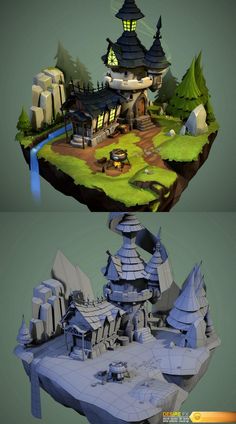
In my practice intention proposal post, one of the inspiration images I used was a house on a floating island. I think it would be cool to create something similar and put it into Unity as a small scene where I could showcase all of the items I created for this project. When looking at the geometry of the NURBs tools, something like a rocky craggy mountain range seems very feasible. Flipping that upside down could make it look something like a floating island.


After some failed attempts and a small detour to make a tree so that I felt more successful, I eventually created something that looks somewhat similar to what I was going for: the underside of a floating island. I’m realizing the limitations of the NURBs tools, and I think if I want to be effective at being able to make a broad variety of 3D objects, I’m absolutely going to have to expand out of this toolset. It’s really quick and easy to use for what it is good for, but I’m simply not finding ways to stretch its uses into other territories.
Practice Session 5- House!
I found a tutorial on how to make a basic house in Maya. It uses the “Insert Edge Loop” and “Extrude” Mesh Tools to create and manipulate faces on an object. I loved this! This is so much easier and more fun to do than I realized and I can’t believe I’ve never found a tutorial like this before.

Practice Session 6- Desk
I liked the edge loop / extrude workflow, and wanted to get more experience working with it. I decided to make something on my own (without the help of a tutorial) to get more practice figuring out how to approach different situations. I made my desk, because it is mostly rectangular, and I haven’t figured out how to create rounded faces yet.


I’m really happy that I decided to expand outside of NURBs tools because I finally feel comfortable with some of these mesh tools, and I’m happy with how the desk turned out!
Overall, I think these practice sessions forced me to overcome the challenges I’ve encountered in the past with trying to create 3D models. I now have several tools in my tool belt that I can work with in the future, but most importantly, I feel confident that I can navigate the space of finding out how to do things I’ve never done before!